

Efficiently Managing Your SMSF via MyGov Managing a Self-Managed Super Fund (SMSF) requires diligent oversight and timely updates to ensure compliance with Australian Taxation Office (ATO) regulations. The myGov portal provides trustees with an efficient, central hub for managing their SMSF details. This article outlines how to manage your SMSF via MyGOV, covering essential updates, […]
Efficiently Managing Your SMSF via MyGov
Managing a Self-Managed Super Fund (SMSF) requires diligent oversight and timely updates to ensure compliance with Australian Taxation Office (ATO) regulations. The myGov portal provides trustees with an efficient, central hub for managing their SMSF details. This article outlines how to manage your SMSF via MyGOV, covering essential updates, monitoring contribution caps and ensuring timely communications.
1. Updating Your Electronic Service Address (ESA)
An ESA is vital for receiving employer contributions and processing rollovers under the SuperStream standard.
Steps to Update ESA:
- Log into Online Services for Business using your myGovID.
- Select your SMSF profile.
- Navigate to Profile > Business details.
- Under Electronic service address alias, choose your ESA provider and save.
Ensure your ESA provider supports both contributions and rollovers to maintain full compliance.
2. Updating Bank Account Details
Accurate banking details ensure smooth transactions and secure management of your fund’s finances.
Steps to Update Bank Details:
- Sign in to your myGov account linked to the ATO.
- Select Australian Taxation Office > My profile > Financial institution details.
- Choose Update, Add, or Delete.
- Enter account name, BSB and account number, confirm declaration and save.
Note: Your SMSF must have a dedicated bank account held in the fund’s name.
Tip: for crypto users, the exchange will recommend the best bank account for SMSF crypto investing.
Identification Documents : 1. Certified Drivers license 2. Super Fund Trust Deed – certified
3. Updating Address and Contact Details
Keeping contact details current ensures you receive critical information without delay.
Steps to Update Contact Details:
- Sign in to your myGov account.
- Select My account > Profile > Contact details.
- Edit necessary details, select linked services and confirm by selecting Update.
Reminder: Notify the ATO within 28 days of any changes.
4. Monitoring Super Contribution Caps
Regularly monitoring your contribution caps helps prevent excess contributions and penalties.
How to Monitor Contribution Caps:
- Log into your myGov account and access ATO services.
- Navigate to Super > Information.
- Check Carry forward concessional contributions for unused cap amounts.
- View Bring-forward arrangement status and remaining cap space.
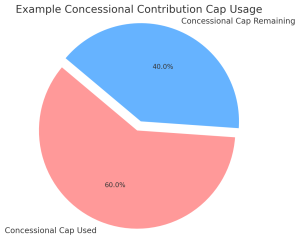
Example Chart: Concessional Contribution Cap Usage
- Used: 60%
- Remaining: 40%
5. Setting Up Electronic Messaging
Electronic messaging ensures timely communication from the ATO and reduces the risk of missing essential notices.
Steps to Set Up Electronic Messaging:
- Sign in to your myGov account.
- Select My Details > Letters and messaging.
- Choose Electronic messaging and letters subscription.
- Follow prompts to set your preferred notification method (email/SMS).
| MyGov Feature | Purpose |
|---|---|
| Update ESA | Ensure SuperStream compliance for contributions and rollovers |
| Update Bank Account Details | Receive super contributions and refunds securely |
| Update Address & Contact Details | Stay compliant and receive ATO communications |
| Monitor Contribution Caps | Avoid excess contributions and plan effectively |
| Set Up Electronic Messaging | Receive ATO letters and alerts promptly |
Additional SMSF Management Tips:
- Linking ATO Services: Ensure your myGov account is linked to the ATO to utilize SMSF management features fully.
- Regular Reviews: Frequently check and update SMSF details to maintain compliance.
- Professional Assistance: Consult an SMSF expert or registered tax agent for complex matters or guidance.
By leveraging the capabilities of the myGov portal, smsf members can manage their SMSF via myGov, streamlining fund management, staying compliant and proactively monitor your retirement savings effectively.
Additional Resources:
- ATO MyGOV Services – ATO information
- My SMSF – MyGOV rollover video
✅ FAQs
1. How do I ensure my SMSF details are always up to date with the ATO?
You can log in to your myGov account regularly and review your SMSF information under the ATO services section. Updates to ESA, bank account, address and contact details should be made within 28 days of any change to stay compliant.
2. What if my ESA provider does not support rollovers?
It’s important to check with your ESA provider before selecting them. If they don’t support rollovers, your SMSF may not meet SuperStream requirements. Consider switching to an ESA provider that offers full support for both contributions and rollovers.
Disclaimer
This guide is intended for informational purposes only and does not constitute financial or legal advice. SMSF trustees should consult with qualified professionals to ensure compliance with all relevant laws and regulations.